
Quotes in Word, invoices in Excel, receipts in a folder and the client status somewhere in the inbox: in small consultancies, agencies and manufacturing businesses, the back office often grows tool by tool. It works until the team grows, a colleague is on holiday or the VAT return is due.
The obvious answer is an ERP system. But classic ERP software is built for companies with dedicated finance and IT departments. Small teams need the same discipline with far less effort. This guide shows what an ERP for consulting firms, agencies, small manufacturers and suppliers should cover – and what you can leave out.
Why classic ERP is too heavy for small teams
Large ERP systems are powerful, but they come with long implementation projects, many configuration options and licence models designed for hundreds of users. A team of five or fifteen people does not need warehouse management for twenty sites. It needs a reliable flow from quote to cash, with as few manual steps as possible.
The back-office chain: from first contact to paid invoice
For most small businesses, the work follows the same chain: a lead becomes a quote, the quote becomes a project, time and materials become an invoice, the invoice becomes a payment – or a reminder – and finally everything flows into the VAT return. An ERP for small businesses earns its keep when this chain runs in one system without copying data from one tool to the next.
The modules that matter
- Clients and suppliers: one record per company with contacts, projects, documents and history.
- Sales pipeline: deals from lead to won, with value and win rate.
- Quotes from a catalogue: services and prices maintained once, inserted with a click – and accepted by the client online via link, with name and signature.
- Projects, tasks and time: a task board across projects, with owners and due dates.
- Invoicing: invoices from quotes, time or subscriptions, sequential number ranges, credit notes and PDFs on your own letterhead.
- Payments and dunning: open items at a glance and automatic reminders on fixed schedules.
- Receipts and tax: receipt upload, tax cases such as reverse charge, and a VAT return preview for your tax advisor.
- Client portal: clients see quotes, invoices, projects and files in their own login.
- Automations: quote accepted → create project; payment received → send a thank-you email.
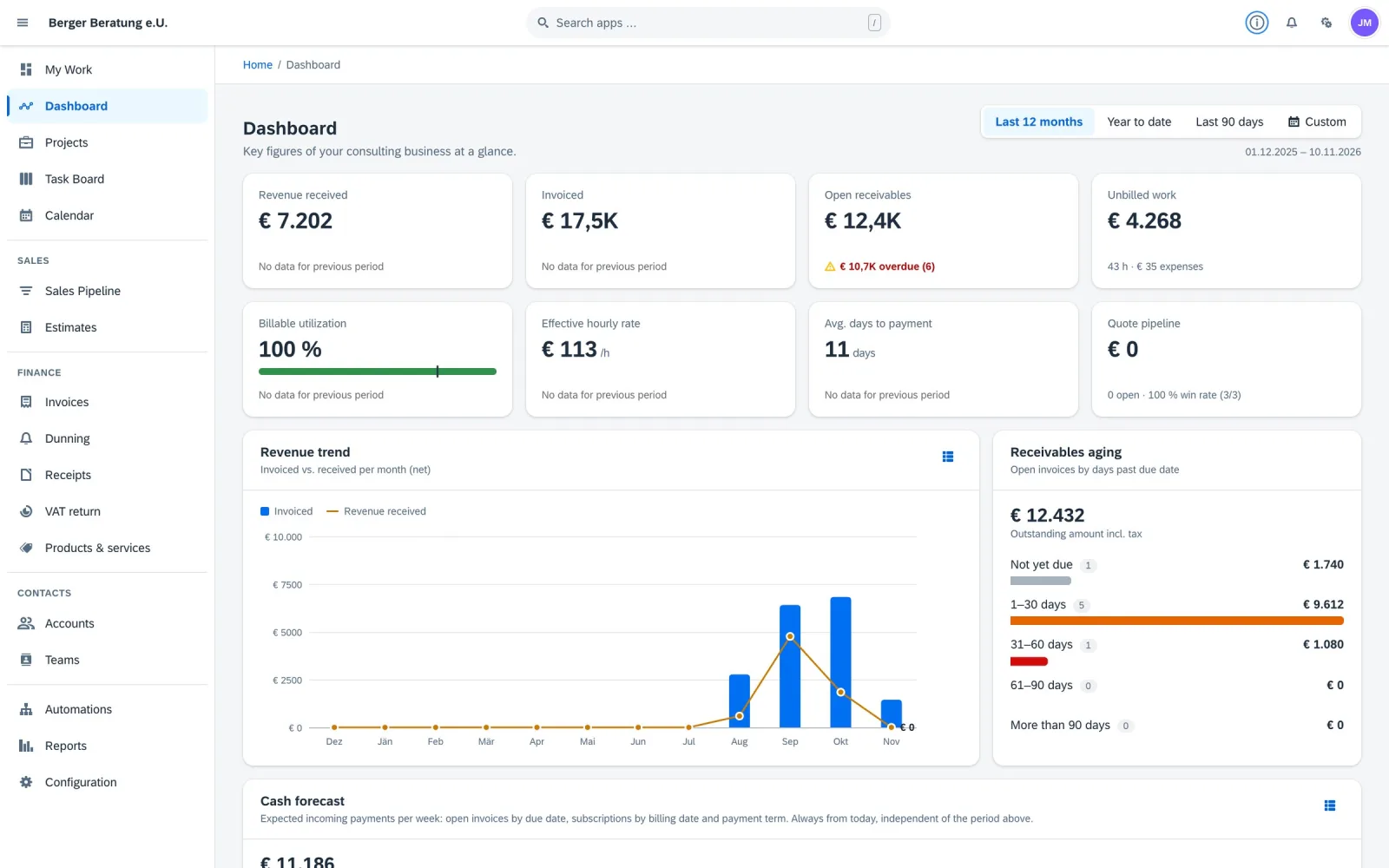
- Reporting: revenue, receivables aging and a cash forecast for the coming weeks.
Different firms, different needs
Consulting firms, coaches and trainers
Hours, packages and retainers dominate. Time tracking that flows into invoices, automatic billing of subscriptions and the right tax case – for example for VAT-exempt training – save the most time.
Agencies and creatives
Many parallel projects, approvals and feedback loops. A pipeline, a task board and a client portal in one place keep clients informed without endless email threads.
Small production and manufacturing
Products with variants, materials and suppliers. A catalogue and a product configurator that calculates price and margin directly in the quote prevent costly calculation errors.
Suppliers and subcontractors
A handful of key clients, many orders, and sales, delivery and admin in very few hands. Here, speed counts: from quote to invoice in minutes, with every document available to the client in the portal.
Selection checklist for small businesses in the DACH region
- Local requirements: German and English, EUR, sequential number ranges, reverse charge and a VAT return preview that matches your tax office’s form – in Austria, the U30.
- Hosting and data protection: hosting in the EU and a data processing agreement under Art. 28 GDPR.
- Exit: a full export of your data (CSV and PDF documents) at the end of the contract.
- Time to value: setup, data import and training within days, not months.
- Pricing: clear plans by number of users, with the core modules included.
- Mobile: usable on phone and tablet, ideally installable as an app.
Once the basics run in one system, automation becomes easy. Our guide to workflow automation shows where to start, and our quote-to-cash guide covers faster payment in detail.
Frequently asked questions
What is the difference between ERP and accounting software?
Accounting software records transactions for the books. An ERP for small businesses covers the work before that: clients, quotes, projects, time, invoicing, dunning and receipts – and hands clean data to accounting or the tax advisor.
Do small consulting firms need an ERP?
Not a classic corporate ERP. But once quotes, projects, invoices and receipts live in different tools, a lean system from quote to cash saves hours every week and reduces errors.
What does an ERP for a small agency cost?
Lean cloud systems are priced per month and user tier. Beraterbase, for example, starts at €99 per month (net) for one user and €249 for up to five users, with all core modules included.
Can an ERP handle reverse charge and the Austrian VAT return?
Systems built for the DACH region handle tax cases such as reverse charge on the invoice and prepare a VAT return preview based on the Austrian form U30 for your tax advisor or FinanzOnline.
Related reading
Less admin, more business.
Try Beraterbase free for 30 days – set up, imported and trained in five working days.